Six Walls

Audio Plugins

Six Walls

A small plugin venture by Eddy Jones — tools that come at a familiar job from an unfamiliar angle. Free, no account needed. Two out so far.

The Overhead(s)

Drum-overheads bleed suppressor · VST3
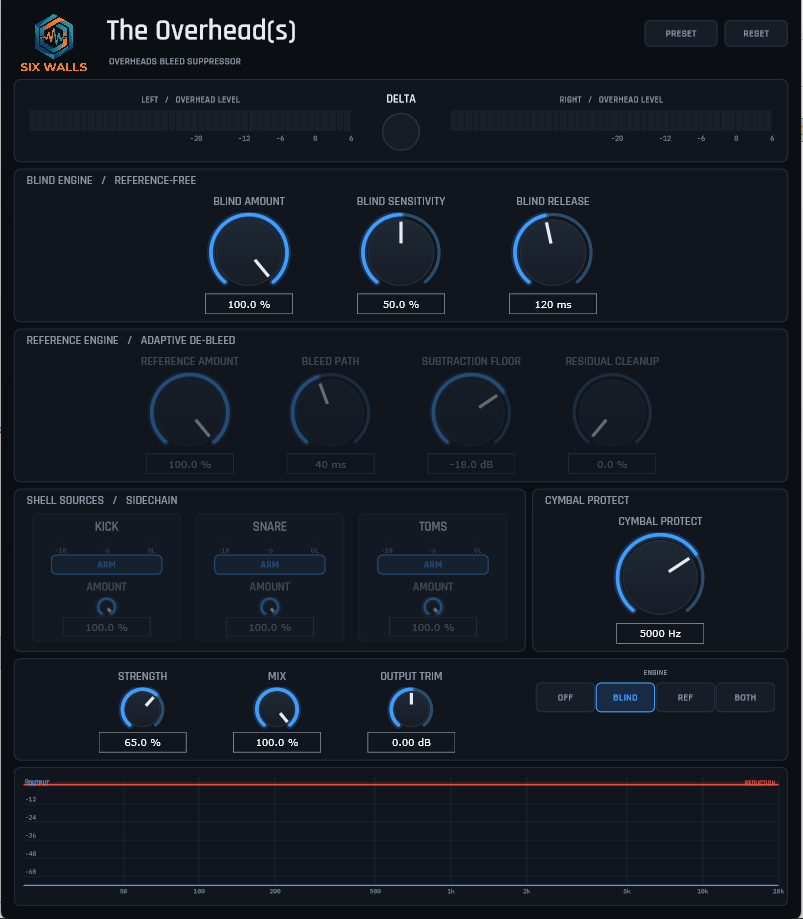
The Overhead(s) plugin UI: Six Walls header, overhead-level meters with a Delta control, Blind Engine and Reference Engine sections of rotary controls, kick/snare/tom sidechain arm strips, a Cymbal Protect knob, an Off/Blind/Ref/Both engine selector, and an output + reduction spectrum display

Formerly released as OH No

Pulls kick, snare and tom out of a drum overheads track while leaving the cymbals and hi-hat intact — the mirror image of a de-bleed tool that strips overhead spill from the close mics. What you want to keep is also broadband and transient, so this is real source separation, not an EQ move.

  • Blind engine — reference-free; a linear-phase STFT ducks shell-hit energy and tapers back above a tunable Cymbal Protect crossover.
  • Reference engine — feed in the kick/snare/tom close mics and a per-source adaptive filter learns each spill path and subtracts it.
  • Engines run alone or in series; delta monitoring; Modern / Vintage panels.
  • Fixed ~85 ms latency, reported for delay compensation. Passes pluginval at strictness 10.
VST3 Windows macOS JUCE 8 v0.8.0

Windows: run the installer (VST3 → C:\Program Files\Common Files\VST3\ + the HTML manual), or take the portable .zip and place the .vst3 yourself. macOS: run the signed .pkg, or unzip the bundle into ~/Library/Audio/Plug-Ins/VST3/. Rescan plug-ins in your DAW afterwards.
The Room

Positional room emulator · VST3

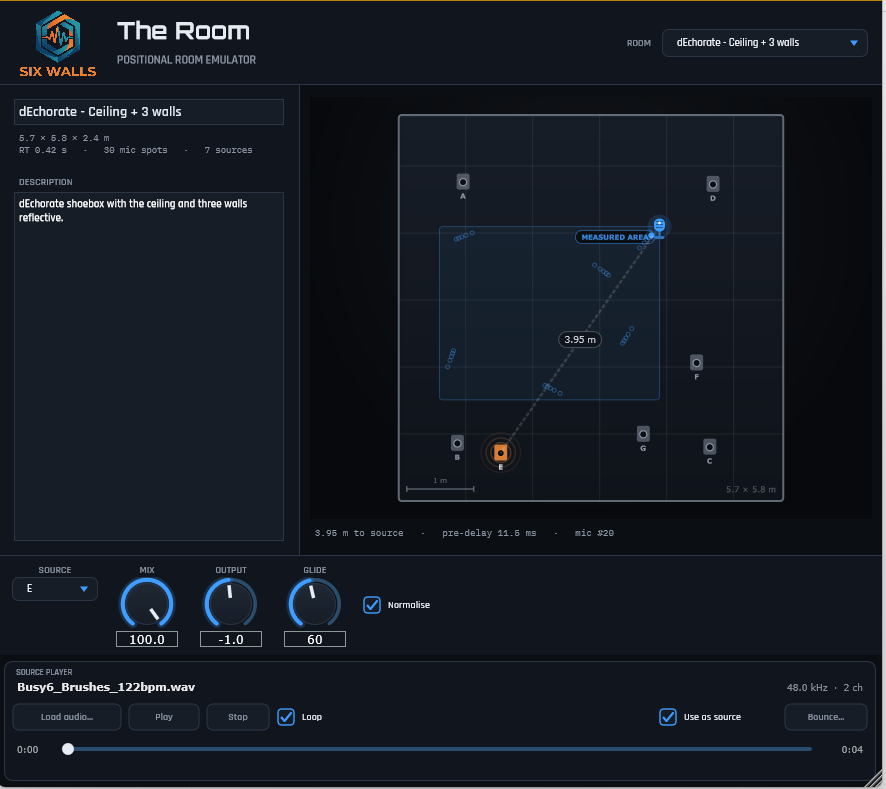
The Room plugin UI: a top-down room view with a draggable microphone puck, source markers, a room selector, and mix / output / glide knobs

A convolution room emulator you play by moving the microphone. Instead of an algorithmic reverb, The Room convolves your signal with a bank of measured room impulse responses and lets you drag a mic around a top-down view of the space — pre-delay, tone and level all follow the position, the way they do in a real room.

  • Pick a room, drag the mic puck; the nearest measured IR is equal-power crossfaded in.
  • Mic X / Mic Y are automatable — sweep the mic through the room from your DAW.
  • Measured rooms: a small treated room, a stone great hall, a domed octagon, a classroom, and a shoebox with progressively reflective surfaces.

Hear it — same mix, room bypassed vs. engaged (pushed hard so it’s obvious)

Room off
Room on
VST3 Windows installer macOS soon JUCE 8 v0.1.0

Run the Windows installer first — one prompt installs the VST3 with a built-in dEchorate room (ceiling + 4 walls) and the HTML manual. The optional Room pack then adds the rest of the measured set — the small treated room, the great hall, octagon, classroom and the full dEchorate wall sweep (into %APPDATA%\The Room\rooms, no admin needed). Power users can take the portable .zip instead — just the .vst3 bundle to drop into a VST3 folder of your choosing. A macOS build is in the works and coming soon. Dataset credits ship with the plugin.

Disclaimer: Six Walls plugins are provided free of charge on an “as-is” basis — use them at your own risk, and always work on a copy of your session. Any comparison products are named for reference only; Six Walls is not affiliated with or endorsed by them. The Room is built on openly licensed impulse-response datasets — full attribution ships with the plugin.